
A Beginner’s Guide to Amazon SageMaker — Build, Train, and Deploy ML Models Easily
- Amazon SageMaker is a fully managed cloud service by Amazon Web Services (AWS) designed to simplify the entire machine learning (ML) lifecycle, including building, training, and deploying ML models at scale.
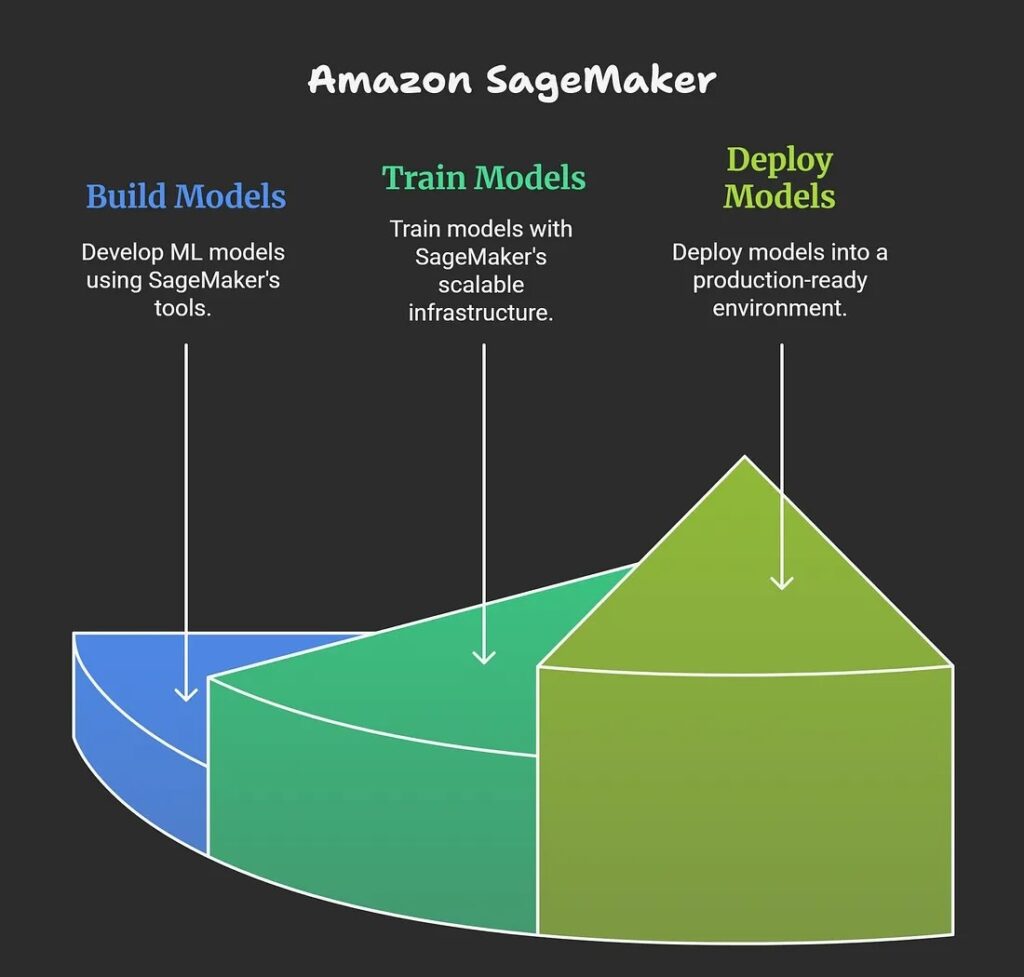
- SageMaker is a fully managed ML service. With SageMaker, data scientists and developers can quickly and confidently build, train, and deploy ML models into a production-ready, hosted environment. Within a few steps, you can deploy a model into a secure and scalable environment.
- Sagemaker’s fully managed infrastructure enables you to develop machine learning models for various applications through integrated tools and workflows for building, training and deployment. This toolset combines all necessary machine learning components which enables faster production, deployment of models while minimizing the effort and reducing expenses.
Sagemaker provides the following:
- Deployment with one click or a single API call
- Automatic scaling
- Model hosting services
- HTTPS endpoints that can host multiple models
Amazon SageMaker is considered an essential tool for organizations seeking to streamline their machine learning initiatives while leveraging AWS cloud benefits for security, scale, and ease of use.
1.2 What problem does Amazon Sagemaker solve?
- Amazon SageMaker solves the problem of making machine learning development, deployment, and scaling accessible and efficient for organizations and developers, even those without deep ML or infrastructure expertise. It eliminates the complexities and “undifferentiated heavy lifting” typically required to build, train, tune, deploy, and manage ML models at scale.
Key Problems Addressed
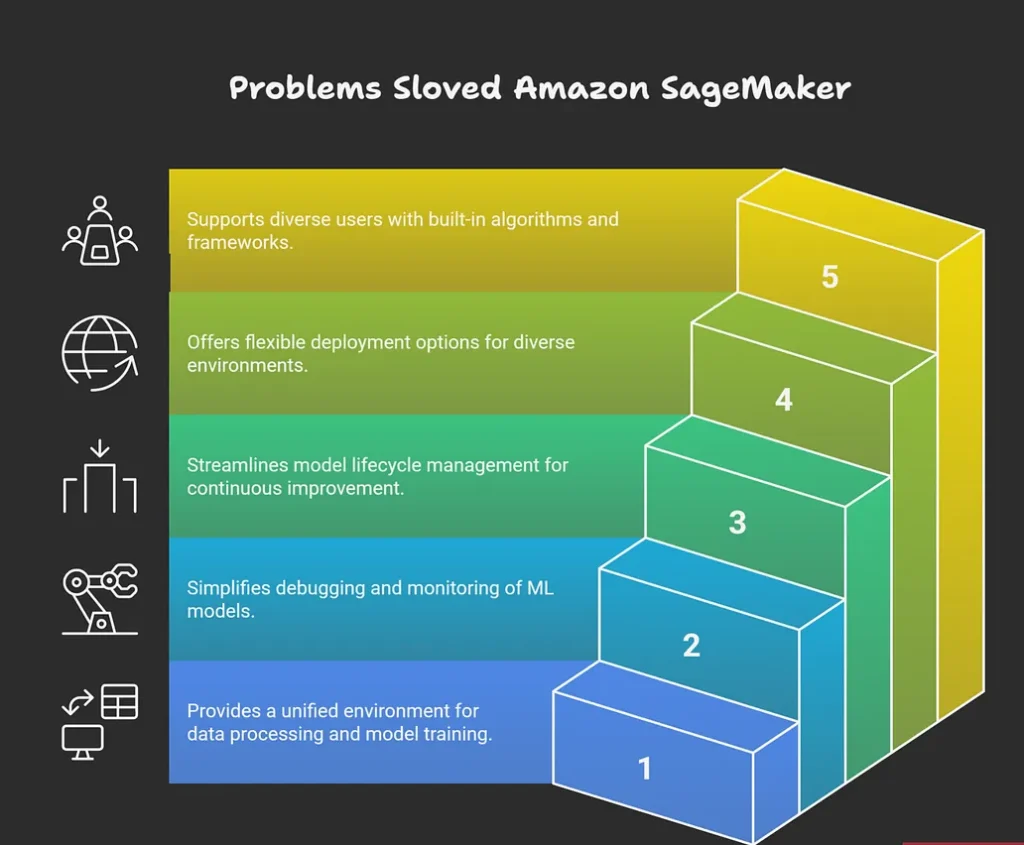
- It removes barriers for developers by providing an integrated platform for data processing, model training, hyperparameter tuning, and deployment, so users can focus on building value without managing the infrastructure.
- SageMaker simplifies large-scale ML operations by offering automated tools for debugging model training, monitoring for quality issues like data drift, and automatically scaling deployed models to handle demand fluctuations.
- It makes continuous model upgrades and retraining more efficient by providing robust tools for model lifecycle management.
- The platform offers versatile deployment options, including real-time, batch, and edge deployment, making it easier to serve predictions in different production environments and use cases.
- SageMaker democratizes access to ML by supporting built-in algorithms, popular frameworks, and even custom code, catering to users with diverse backgrounds and needs.
Examples
- Automating routine business decisions with predictive ML models without requiring a specialized ML engineering team.
- Scaling and managing ML when demand is unpredictable, such as in customer-facing applications or IoT uses.Reducing time to market and infrastructure costs for organizations integrating ML into products and services.
Overall, Amazon SageMaker addresses pain points around cost, complexity, scalability, monitoring, and accessibility in the entire machine learning workflow.
1.3 What are the features of Amazon Sagemaker?
Key Features
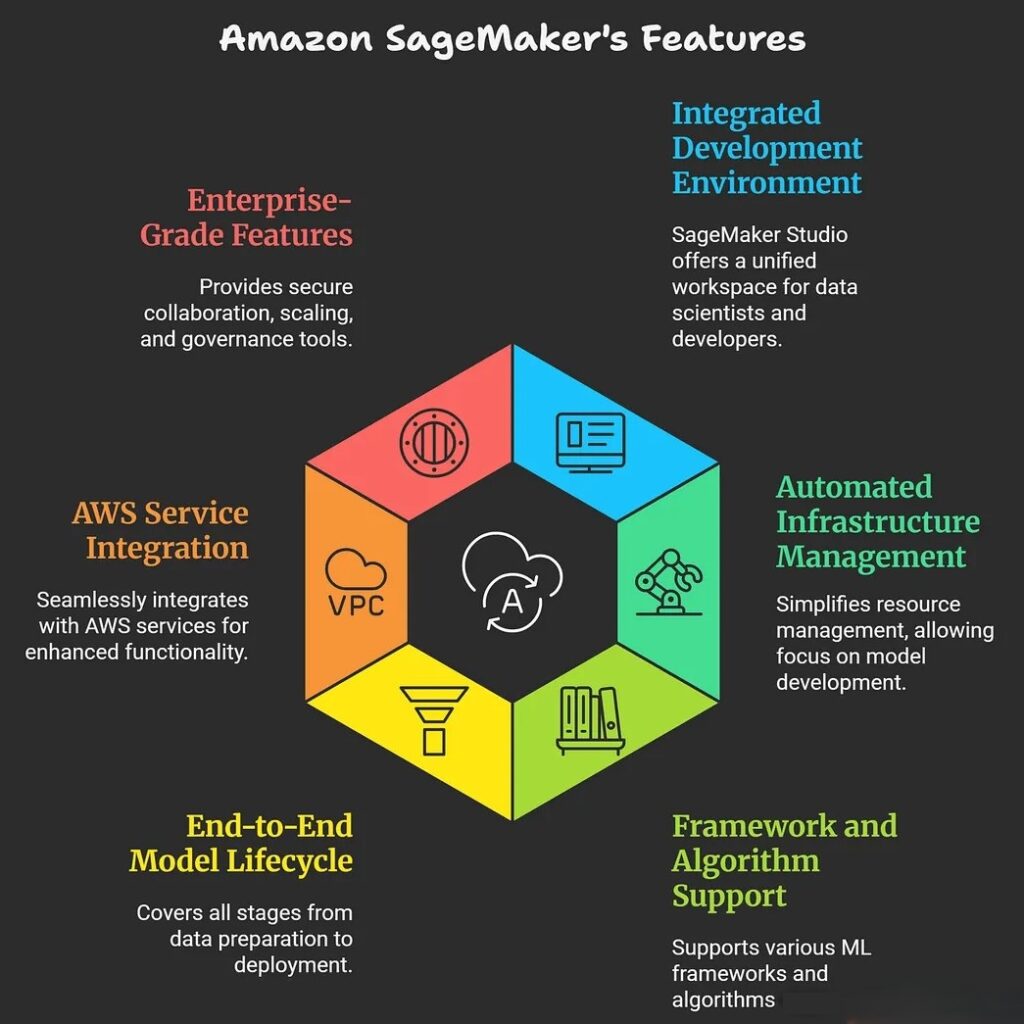
- SageMaker provides an integrated experience for analytics and AI, allowing data scientists and developers to work with all their data, tools, and ML workflows in a single development environment known as SageMaker Studio.
- It automates infrastructure management, enabling users to focus on developing and deploying models without managing servers or resources directly.
- SageMaker supports a wide range of popular ML frameworks like TensorFlow, PyTorch, and MXNet, and can run both built-in and custom algorithms.
- It includes modules for each step: data preparation, model building, training, automatic tuning for accuracy, and production deployment for real-time or batch inference.
- Integrated with other AWS services, SageMaker leverages cloud storage (like S3), compute (such as EC2), and security tools, providing deep integration into modern cloud architectures.SageMaker offers features for secure collaboration, automatic scaling, cost optimization, and enterprise-grade governance.
1.4 What are the benefits of Amazon Sagemaker?
Amazon SageMaker offers a wide range of benefits that make machine learning more accessible, efficient, and cost-effective for organizations and developers.
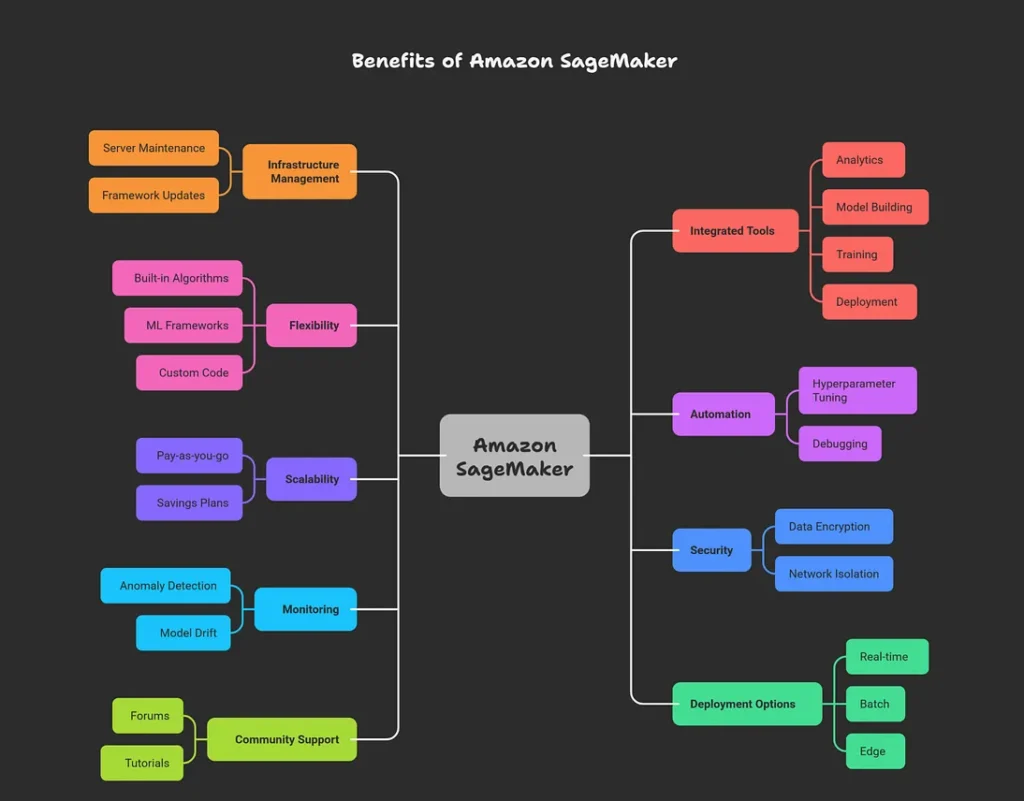
Major Benefits
- SageMaker is a fully managed service, which means it takes care of the underlying infrastructure, scaling, and operational tasks, letting users focus on building and deploying models instead of maintaining servers or frameworks.
- It provides fast, secure model development and deployment by offering integrated tools for analytics, model building, training, deployment, monitoring, and governance all within one unified environment.
- Users benefit from a wide choice of built-in algorithms, ML frameworks (such as TensorFlow, PyTorch, and MXNet), and the ability to use custom code — making it flexible for diverse project needs.
- SageMaker automates tasks like hyperparameter tuning, monitoring, and debugging, improving model performance and reliability.
- The platform accelerates time to market for AI-powered applications, thanks to seamless integration with AWS services (S3, Lambda, CloudWatch) and unified development workflows.
- It offers on-demand scalability, automatically adjusting resources to meet ML workload demands while optimizing costs through pay-as-you-go and savings plan options.
- Enterprise-grade security features include data encryption, network isolation, VPC support, and access control to safeguard data and models.
- Advanced monitoring and debugging tools allow for detection of anomalies, model drift, and performance issues in production.
- SageMaker supports real-time, batch, and edge deployment, making it easy to serve models for a variety of application needs.
- A vibrant community and extensive support resources (forums, tutorials, expert help) help users solve problems and improve their workflows.
| Benefit | Description |
|---|---|
| Fully managed | Handles infrastructure, scaling, and maintenance |
| Flexible frameworks | Supports built-in and custom algorithms, major ML frameworks |
| Automated ML tasks | Auto-tuning, debugging, and monitoring out of the box |
| Fast time to market | Unified workflows and AWS integration speed up development |
| Cost efficiency | Scalable and pay-as-you-go pricing, with savings plans |
| Security | Enterprise-grade data encryption and access controls |
| Advanced monitoring | Built-in tools for model health and performance |
| Diverse deployment | Real-time, batch, and edge options for serving predictions |
| Community support | Forums, resources, and expert assistance |
Amazon SageMaker’s benefits make it an essential tool for organizations looking to innovate quickly and securely with machine learning, while keeping costs and operational complexity low.
1.5 How can I architect a solution by using Amazon SageMaker?
Architecting a solution using Amazon SageMaker involves designing a scalable, modular, and efficient machine learning (ML) workflow by leveraging SageMaker’s capabilities in data preparation, model training, tuning, deployment, and monitoring. A typical architecture incorporates well-defined components for each phase of the ML lifecycle, integrated with other AWS services to streamline operations and accelerate time to market.
Key Architectural Components
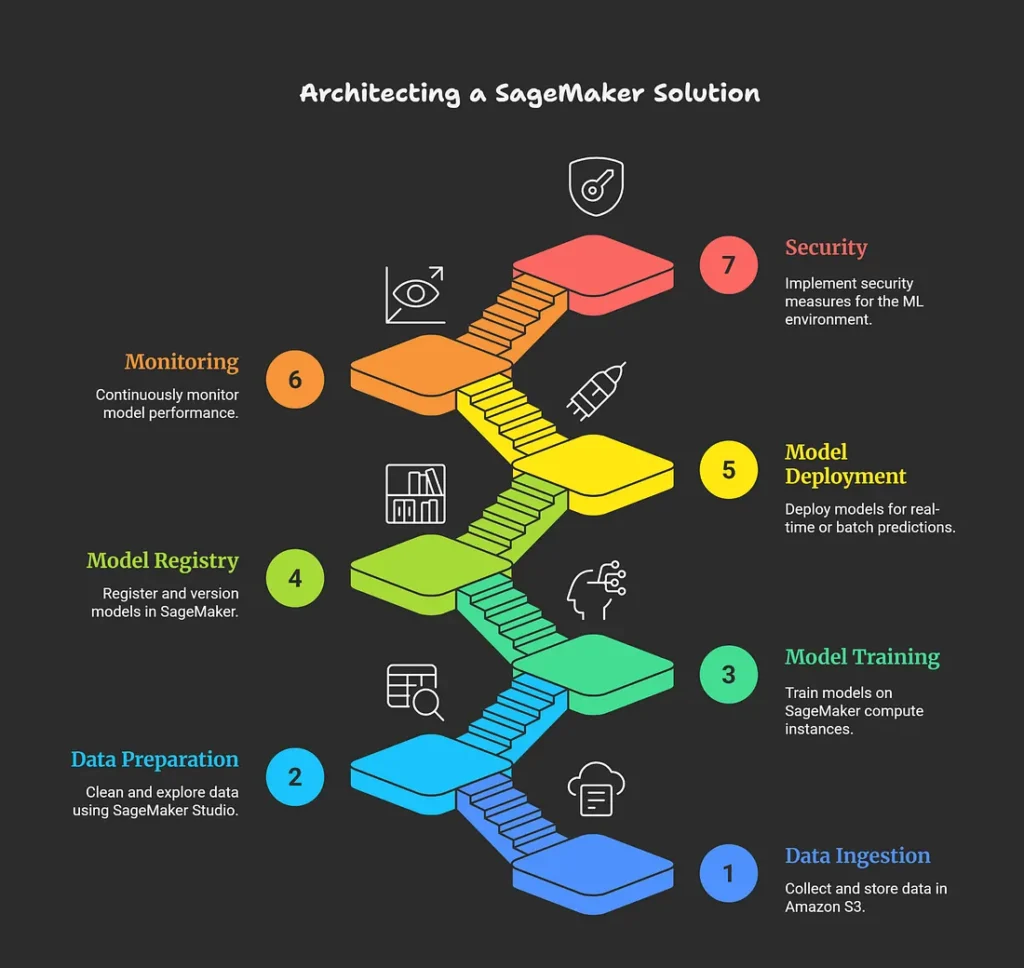
1. Data Ingestion and Storage
Data is ingested from various sources and stored in Amazon S3, which acts as the central data repository. Optionally, local or on-premises data can be connected via AWS Direct Connect or AWS DataSync for hybrid architectures.
2. Data Preparation and Exploration
Amazon SageMaker Studio or notebook instances are used for data cleaning, exploration, and feature engineering. Data access can leverage Amazon S3 and file systems like Amazon EFS or FSx for Lustre for efficient handling.
3. Model Training
Training jobs are executed on SageMaker-managed compute instances. SageMaker supports distributed training for large datasets or complex models and offers automated hyperparameter tuning to optimize model performance.
4. Model Registry and Versioning
Trained models are registered in the SageMaker Model Registry to enable version control, governance, and easy deployment management.
5. Model Deployment and Inference
Models can be deployed to real-time endpoints for low-latency predictions or batch transform jobs for offline predictions. SageMaker also supports edge deployments for IoT devices, ensuring flexibility based on use case requirements.
6. Monitoring and Maintenance
Continuous monitoring of deployed models is performed to detect data drift, model degradation, and anomalies. Automated retraining pipelines can be implemented to refresh models and maintain performance.
7. Security and Governance
The architecture incorporates network isolation (VPC), encryption of data at rest and in transit, identity and access management, and compliance controls to secure the ML environment.
Example Architecture Workflow
- Raw and processed data are stored in S3 buckets.
- Data scientists use SageMaker Studio notebooks for exploratory data analysis and feature engineering.
- Training jobs run on scalable SageMaker instances, leveraging distributed training and hyperparameter tuning.
- Models are registered in the Model Registry with metadata.
- A CI/CD pipeline orchestrates deployment across development, staging, and production environments.
- Real-time inference endpoints serve predictions, autoscaled based on demand.
- Metrics and logs are collected for monitoring with integration to CloudWatch and SageMaker Model Monitor.
- Retraining workflows automate model refresh based on new data or detected drift.
This architecture is typically modular, supporting multi-account setups for different lifecycle stages and teams. It optimizes resource use, cost, security, and model governance while enhancing collaboration.